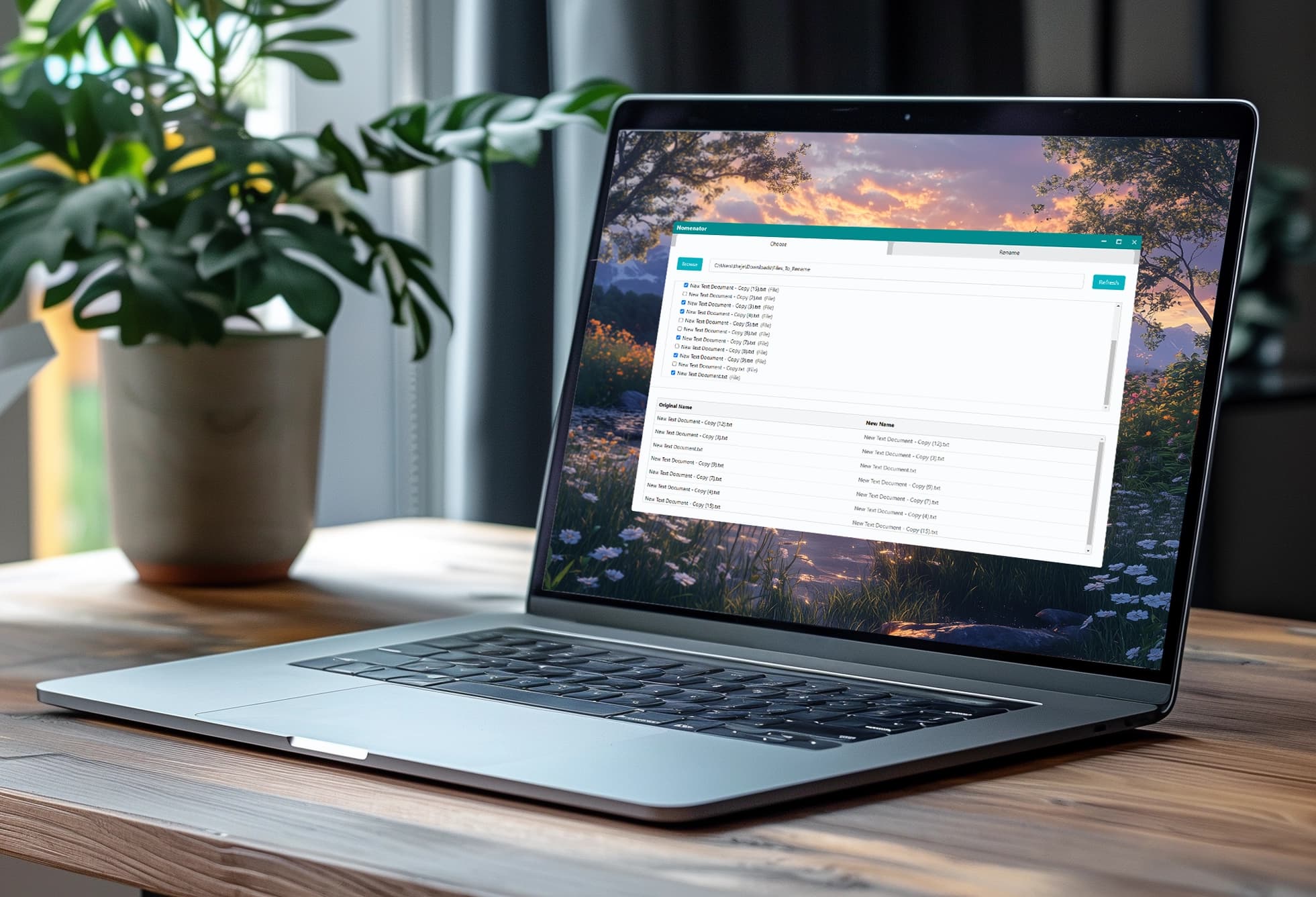
Challenge:Many existing file renaming apps, while powerful, come with UIs that feel dated. I wanted a modern solution with an intuitive layout and polish that could handle batch renaming tasks without the clunky, old-school feel of the existing options.
Solution:I created Nomenator, a desktop file renaming utility built with Electron, React, Redux, and Tailwind, with Go language integration for the renaming logic. This approach allowed me to deliver a more refined user experience without sacrificing performance. The clean interface and real-time previews help users quickly see how changes will look, all within a clean, modern aesthetic.
Existing Solutions
In my career as a designer and photographer, I've often had the need to rename many files at a time. I've used many existing applications, but even many of the best options seem to have user interfaces that feel outdated.
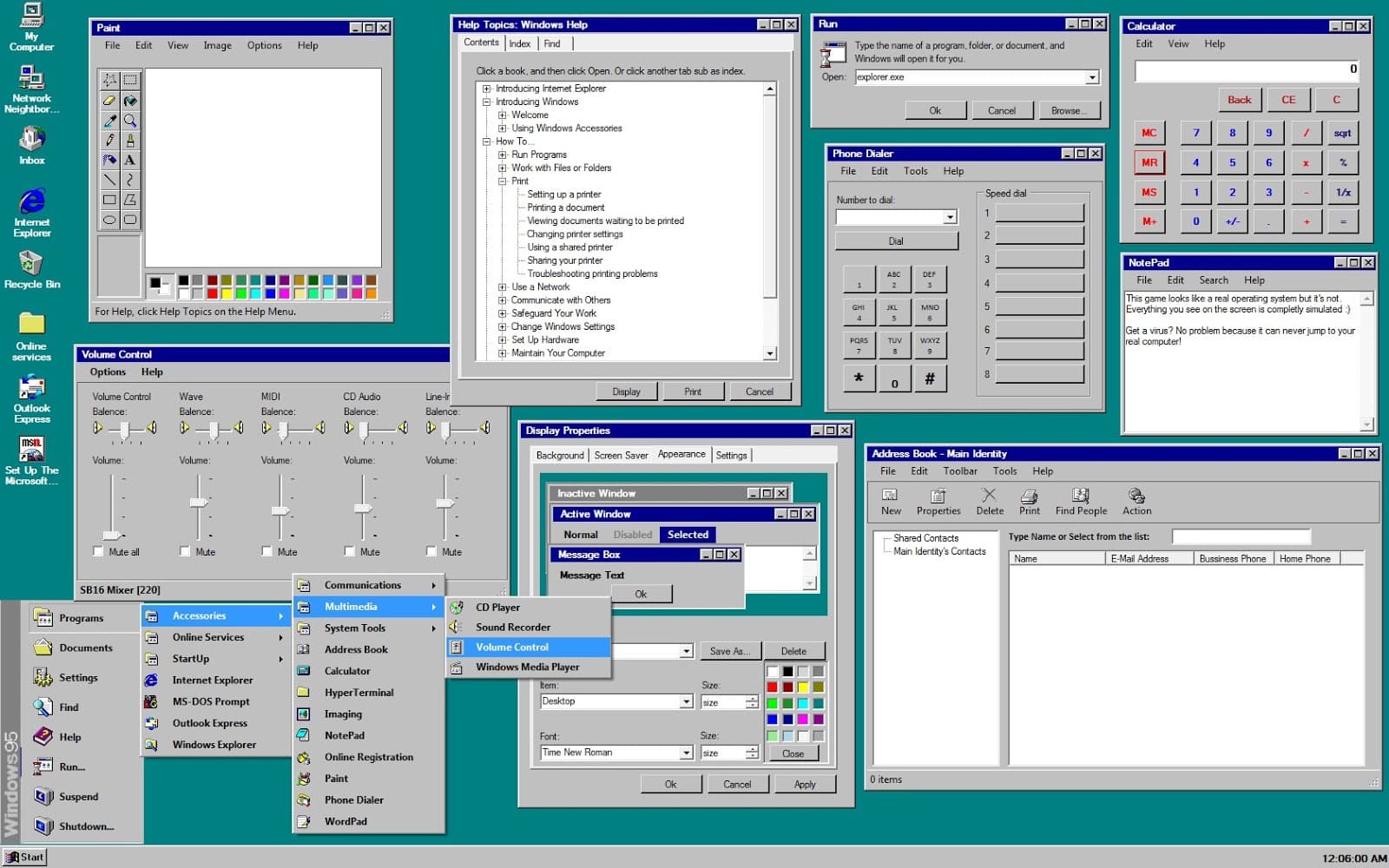
When working on Nomenator, my main goal was to create something with all of the power and utility of those older applications, but with more modern design sensibilities. I wanted the user experience to be as seamless and refined as possible.
Tech Stack
Among the first decisions that I made for the app was the choice of the tech stack that I'd use to build the app. After some consideration, I decided on the following configuration:
- Electron & React: Electron provided the ability to create a cross-platform desktop experience with a single codebase.
- Redux: I felt Redux was essential to allow the management of application state, including lists of files, rename rules, and user selections.
- Tailwind CSS: Despite Tailwind having been on my radar for some time, I had never used it before so I very much wanted to try it out for this project. It turned out to be helpful in rapid styling with a modern, consistent look.
- Go Integration: For this project, I wanted to explore the idea of using different languages together in the same project. Because of its high performance, Go turned out to be a great candidate for the preview and rename operations.
Interface Design
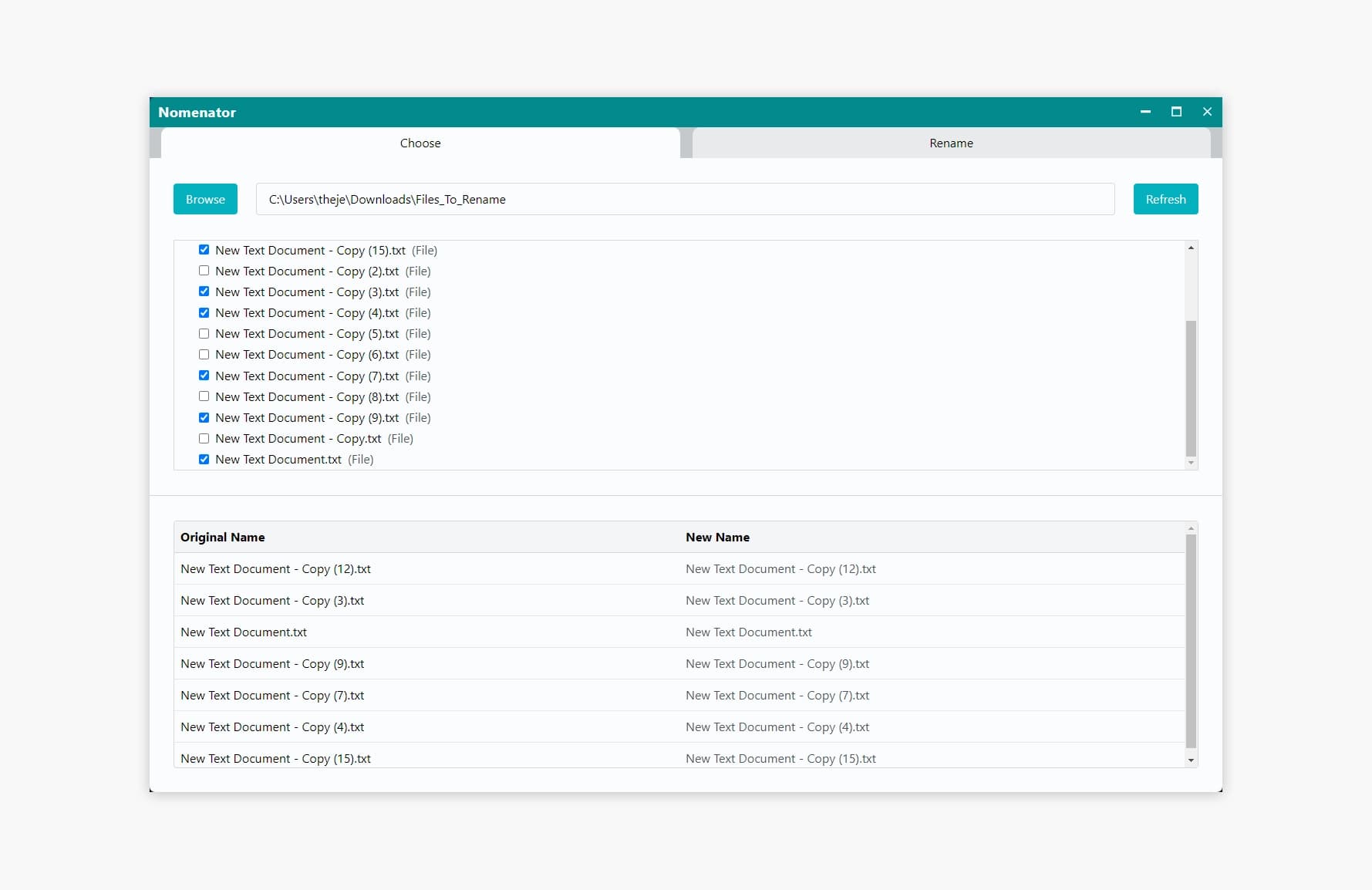
Since the design of other similar apps was my primary reason for wanting to take on this project, it was very important to me to get that aspect of Nomenator right. Some of the key design decisions include:
- Two-panel layout: I chose a two panel layout for the app to make sure that the user always sees what they're working on along with the list of files and previews of operations. The top panel is for the main user interactions while the bottom panel is reserved for displaying the list of working files and their previewed names.
- Two-tab layout: Since the workflow of the app is divided into two distinct operations—selecting files and then creating rename rules for them—I thought that a two tab layout for the top panel would be a great way to divide up the UI.
- Strong visual feedback: I have made sure that there is strong visual feedback (such as hover effects, animations, etc.) when the user takes action in the app so that the app is as clear as possible.
- Custom title bar: The standard Electron title bar works fine, but I wanted to provide a presentation that went beyond “default”.
Looking Forward
While I'm proud of the work that I've done so far on Nomenator, I'd like to continue to make improvements to the app until it's the definitive file renaming application. Some of the planned additional features include:
- Drag and drop functionality: The ability to drag and drop items—both within the rename rules section and into the directory selection section—would go a long way in making the app more user friendly.
- Undo/Redo: I think this is an essential feature to have in an app that deals with files on the user's computer.
- Expanded rename rule options: Adding more powerful renaming features to the app would allow users to do exactly what they want to do, no matter how complex their renaming tasks might be.
- Saving/Loading of rename rule presets: For users who do a lot of the same or similar operations on a regular basis, this would be, in my opinion, a game changer.